
Track performance as an ongoing client metric
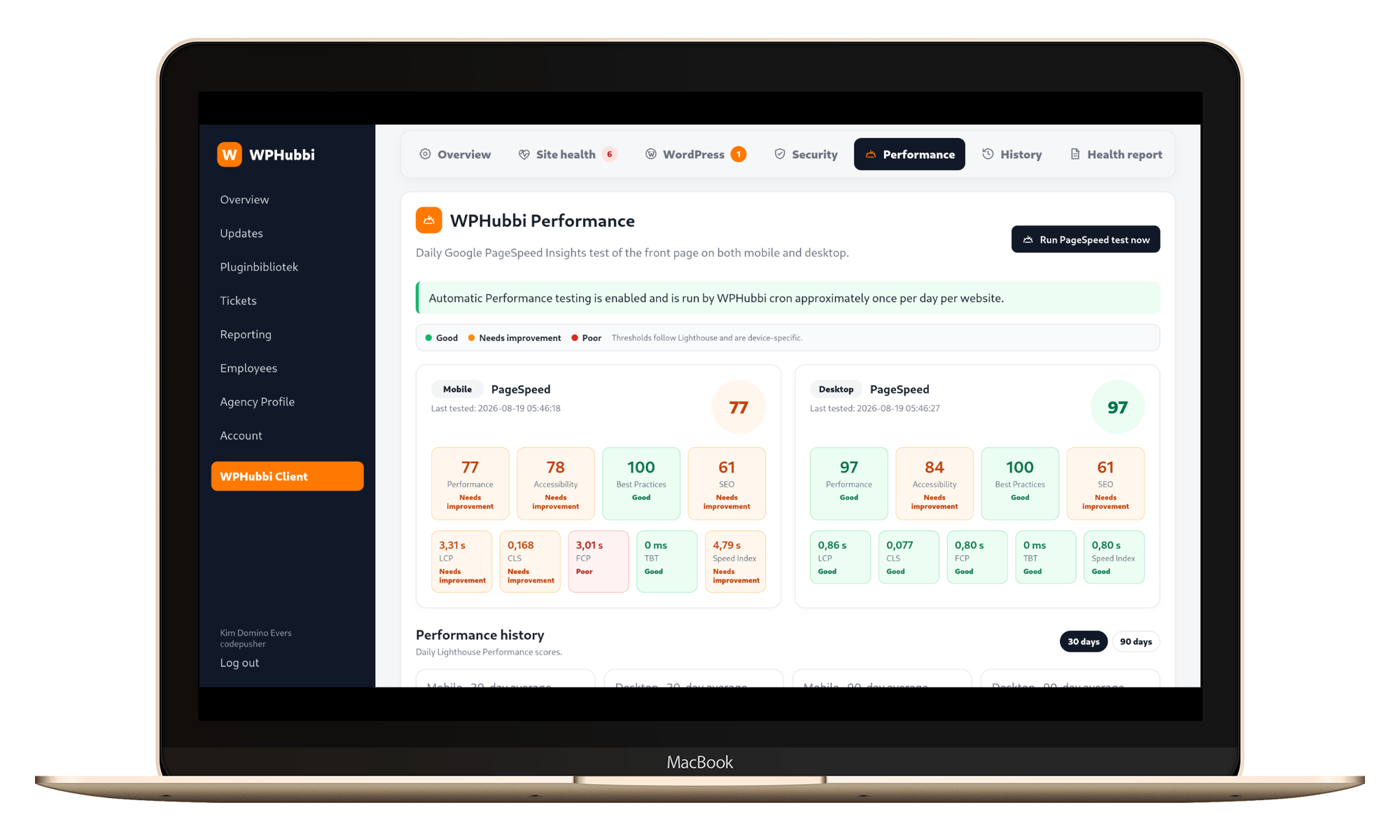
A fast website is not a one-time project milestone. WPHubbi helps agencies monitor performance over time using Google PageSpeed Insights and Lighthouse data for both mobile and desktop.
Mobile and desktop matter separately
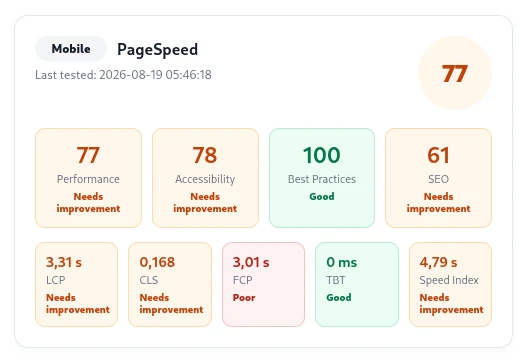
A website can perform very differently on a mobile connection than on a desktop machine.
WPHubbi stores mobile and desktop measurements separately so your team can identify where a problem actually exists.
Background testing instead of blocking the browser
Performance jobs run in the background, allowing PageSpeed requests to complete without forcing
the user to keep a browser request open. Results are stored so the agency can review the latest test
and historical measurements.
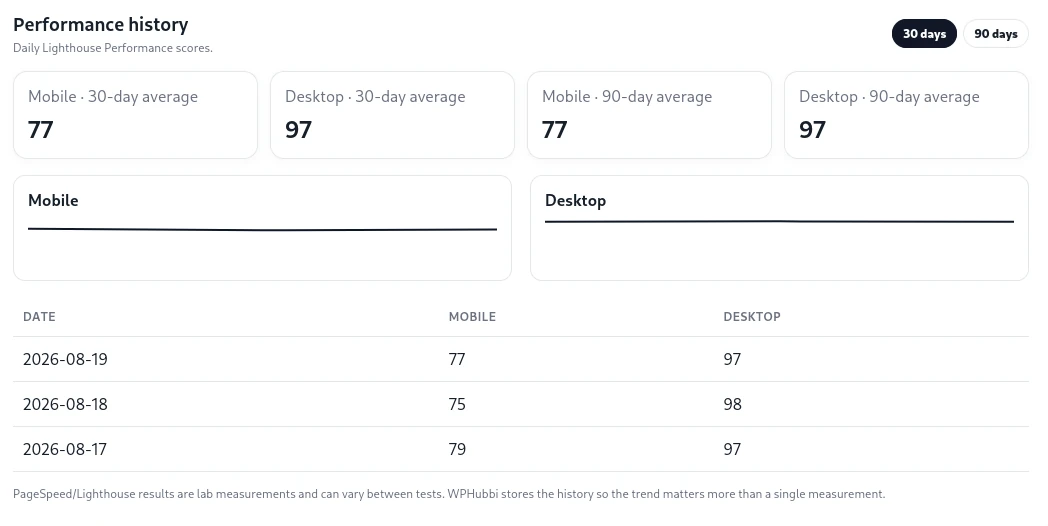
Trend, do not guess
Single PageSpeed scores fluctuate. WPHubbi can use historical results and rolling averages to give
your team a more useful picture of whether performance is improving, stable or deteriorating.
Performance belongs in the client report
When performance is part of an ongoing care plan, it should also be part of the conversation with
the client. WPHubbi ca
Frequently asked questions
Does WPHubbi run Google PageSpeed Insights?
Single PageSpeed scores fluctuate. WPHubbi can use historical results and rolling averages to give your team a more useful picture of whether performance is improving, stable or deteriorating.
Can I test both mobile and desktop?
Yes. Mobile and desktop results are handled separately so you can compare the two experiences.
Can WPHubbi manage WordPress updates remotely?
Yes. You can manage WordPress Core, plugin, theme and translation updates from the Hub. Updates can be handled site by site or across multiple websites, depending on what you want to update.
Does WPHubbi replace WordPress?
No. WPHubbi manages and monitors existing WordPress websites. The WPHubbi Client can also provide a simplified client-facing WordPress experience when you choose to enable it.
Can clients create support tickets directly from WordPress?
Yes. Clients can create and reply to support tickets directly inside their WordPress dashboard, while your team manages the conversation from the WPHubbi Hub.
Move performance monitoring out of occasional audits and into your recurring WordPress care
process.